Note
Go to the end to download the full example code.
Indentation Surface Detection
This example loads a FischerScope HDF5 file with surface detection enabled.
from pathlib import Path

import micromechanics
from micromechanics.indentation import Indentation

repository_root = Path(micromechanics.__file__).resolve().parents[1]
file_name = repository_root / "examples/FischerScope/N1_1.hdf5"
Inspect the raw file first. The initial depth and force offsets show why a surface correction is needed before comparing indentation curves.
indentation = Indentation(str(file_name), nuMat=0.45)
indentation.plot()
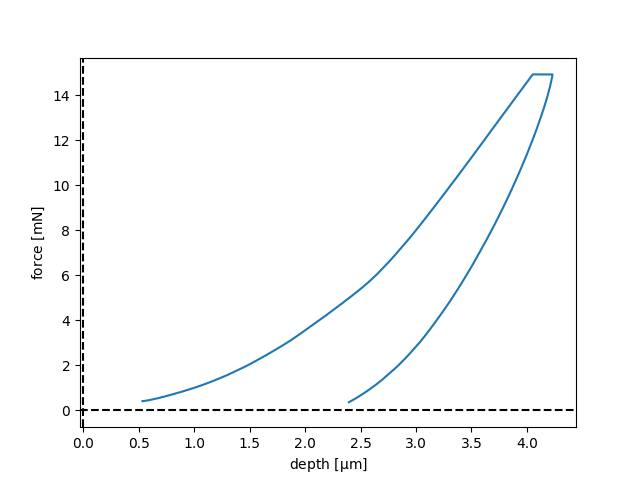
Open hdf5-file: /home/runner/work/micromechanics/micromechanics/examples/FischerScope/N1_1.hdf5
Run analyse() to show the full data.
Use a load threshold to define the contact point. This shifts the depth axis so contact starts at zero, but it intentionally leaves the load signal unchanged. Other surface criteria and filters can be selected through the same dictionary.
indentation = Indentation(str(file_name), nuMat=0.45, surface={"load": 0.1})
indentation.plot()
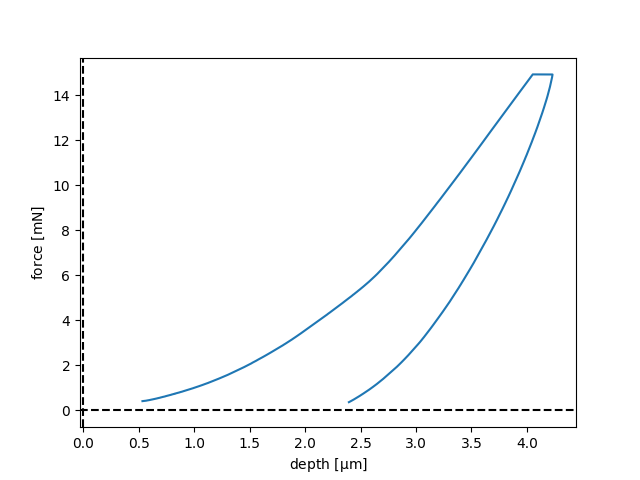
Open hdf5-file: /home/runner/work/micromechanics/micromechanics/examples/FischerScope/N1_1.hdf5
Run analyse() to show the full data.
Add tare load when the force should also be shifted to zero at contact.
This is useful for plots where both axes should represent values relative to
first contact.
indentation = Indentation(str(file_name), nuMat=0.45, surface={"load": 0.1, "tare load": True})
indentation.plot()
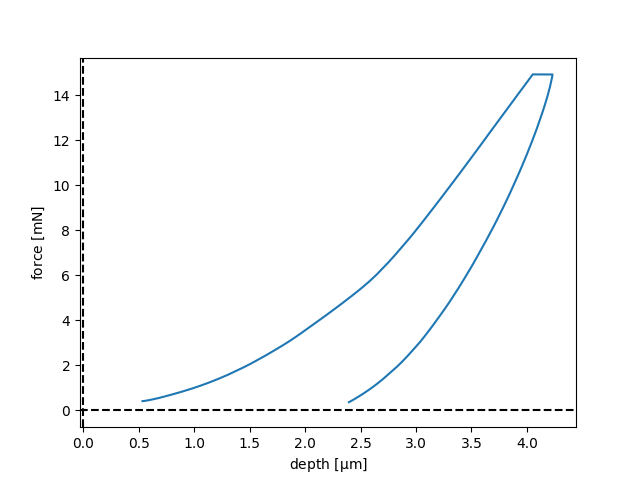
Open hdf5-file: /home/runner/work/micromechanics/micromechanics/examples/FischerScope/N1_1.hdf5
Run analyse() to show the full data.
Total running time of the script: (0 minutes 0.200 seconds)